
Date
January 17, 2026
Tool Overview
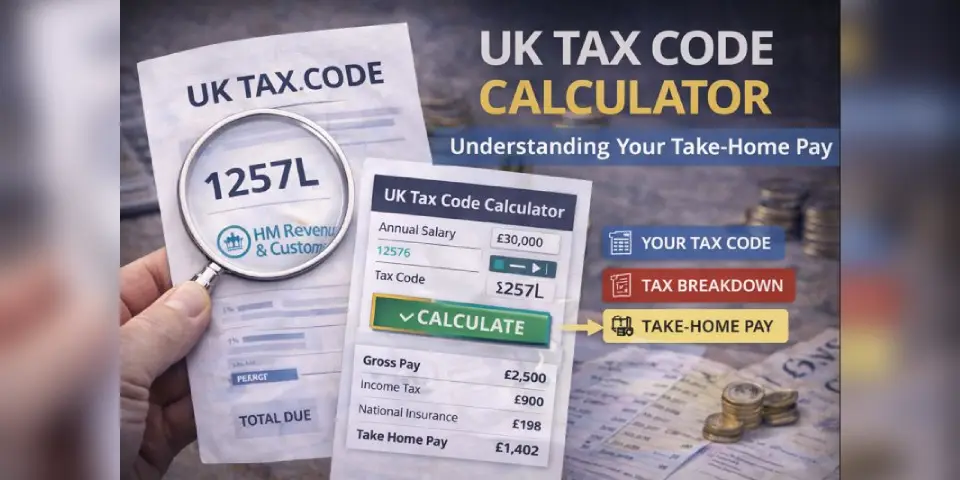
The UK Tax Code Calculator turns confusing payslip numbers into clear answers about your actual take-home pay. But as a newcomer to UK tax, the confusing part is everything around it: tax codes, allowances, NI contributions, and tax bands.
This guide gives you a safe, step-by-step process to use the calculator and understand your results—designed to help you spot the two biggest problems people face:
- Being on the wrong tax code (leading to overpaid tax)
- Not understanding deductions (causing budget confusion)
By the end, you’ll know exactly how to use the calculator before, during, and after major life changes.
Key Lessons
-
Know Your Tax Code First (so you don’t waste time)
- Where to find your tax code on your payslip
- What the numbers and letters actually mean
- Common codes: 1257L (standard), BR (emergency), S1257L (Scottish)
-
Calculate Accurately
- How to enter your gross salary correctly
- Understanding tax-free allowance vs taxable income
- Reading the tax band breakdown
-
Use Results Safely (and protect yourself from overpaying)
- What to check on your actual payslip
- How to spot emergency tax
- When to contact HMRC for a refund
Tools & Frameworks
- The Calculator itself (with save/print features)
- A “Tax File” (simple records you keep)
- Payslip comparison checklist
Why It Matters
- Know your worth by understanding true take-home pay before accepting job offers
- Avoid overpaying by spotting incorrect tax codes early
- Budget accurately with real numbers, not estimates
Practical Exercise
Do a “dry run” with the calculator:
1) Gather your details (5 minutes)
- Your current tax code (from latest payslip)
- Your annual gross salary (before any deductions)
- Your pay frequency (monthly/weekly/annual)
2) Identify your tax situation (5 minutes)
- Standard UK taxpayer (England, Wales, Northern Ireland)
- Scottish taxpayer (S prefix on tax code)
- Emergency tax (BR, 0T, D0, D1 codes)
- Special circumstances (K codes, high earner)
3) Run the calculation (2 minutes)
- Enter your tax code
- Enter your salary
- Select pay frequency
- Click “Calculate Take-Home Pay”
The Step-by-Step Calculator Guide
Step 1: Enter Your Tax Code
In the Tax Code field:
- Type exactly as shown on your payslip
- Common examples:
1257L,S1257L,BR,K500 - If you don’t have a payslip yet, start with
1257L(standard)
Where to find it: Top section of your payslip, labeled “Tax Code”
Step 2: Enter Your Annual Salary
In the Annual Gross Salary field:
- Enter your yearly salary before tax
- Don’t include bonuses unless they’re guaranteed
- Use whole numbers (e.g., 35000 not 35,000.00)
Important: This is gross salary (before deductions), not take-home pay
Step 3: Select Pay Frequency
Choose how often you’re paid:
- Monthly (most common for salaried workers)
- Weekly (common for hourly/contract workers)
- Annual (for yearly overview)
Step 4: Review Your Results
The calculator shows:
- Tax-free allowance: What you keep (usually £12,570)
- Taxable income: What gets taxed
- Income tax: Your tax bill
- National Insurance: Your NI contributions
- Take-home pay: What hits your bank account
Step 5: Save or Print (optional)
- Click ”💾 Save as PDF” to download results
- Click “🖨️ Print Results” for a paper copy
Understanding Your Results
The Main Numbers
Tax-Free Allowance
- Standard: £12,570 for 2024/25
- Reduces if you earn over £100,000
- Negative for K codes (you owe extra tax)
Tax Bands (England, Wales, NI)
- 0% on first £12,570 (Personal Allowance)
- 20% on £12,571 to £50,270 (Basic Rate)
- 40% on £50,271 to £125,140 (Higher Rate)
- 45% on over £125,140 (Additional Rate)
Scottish Tax Bands (if code starts with S)
- 19% Starter Rate
- 20% Basic Rate
- 21% Intermediate Rate
- 42% Higher Rate
- 47% Advanced Rate
National Insurance (2024/25)
- 8% on earnings between £12,570 and £50,270
- 2% on earnings above £50,270
Common Problems (and what to do)
“My actual take-home is less than the calculator shows”
Common causes:
- Pension contributions (not included in calculator)
- Student loan repayments (not included)
- Other workplace deductions
What to do:
- Check your payslip for “Additional Deductions”
- Subtract pension/student loan amounts from calculator result
- This gives you a more accurate take-home figure
”I’m on BR code and paying loads of tax”
You’re on emergency tax—temporary but fixable.
What to do:
- Contact HMRC (0300 200 3300)
- Provide your P45 from previous employer (if you have it)
- Once corrected, claim refund for overpaid tax
”My tax code changed—what does it mean?”
Tax codes change for various reasons:
- Pay rise or promotion
- Company benefits (car, health insurance)
- Marriage Allowance transfer
- HMRC correction
What to do:
- Use the calculator with your new code
- Compare with your old code results
- If it seems wrong, contact HMRC to verify
”I earn over £100k—my allowance is wrong”
High earners lose £1 of allowance for every £2 earned above £100,000.
What to do:
- The calculator handles this automatically
- Example: £110,000 salary = £7,570 allowance (not £12,570)
- Check the “Tax-Free Allowance” result confirms this
Try These Scenarios
Test the calculator with real examples:
Scenario 1: Entry-Level Job
- Tax Code: 1257L
- Salary: £25,000
- Expected Result: ~£21,550 take-home (£1,795/month)
Scenario 2: UK Average Salary
- Tax Code: 1257L
- Salary: £35,000
- Expected Result: ~£28,280 take-home (£2,357/month)
Scenario 3: Scottish Taxpayer
- Tax Code: S1257L
- Salary: £40,000
- Expected Result: Slightly less than English equivalent due to different bands
Scenario 4: Emergency Tax
- Tax Code: BR
- Salary: £30,000
- Expected Result: Much lower (all taxed at 20%, no allowance)
Scenario 5: High Earner
- Tax Code: 1257L
- Salary: £120,000
- Expected Result: See allowance tapering in action (£2,570 allowance only)
When to Use the Calculator
Before Accepting a Job Offer
- Calculate real take-home from the offered salary
- Compare multiple offers accurately
- Factor in location cost-of-living
When Your Tax Code Changes
- Verify the change is correct
- See impact on monthly budget
- Decide if you need to contact HMRC
Before Salary Negotiations
- Understand marginal tax rates
- See real value of pay rises
- Know your worth in take-home terms
When Moving to Scotland
- Compare English vs Scottish tax implications
- Understand the different band structure
- Budget for slightly higher tax (typically)
If Suspecting Overpayment
- Calculate what you should be paying
- Compare with actual payslip deductions
- Build case for HMRC refund claim
Key Takeaways
- Tax codes are instructions to your employer, not random letters
- The bigger the number, the more you earn tax-free
- Emergency codes (BR, 0T) mean you’re overpaying—fix it fast
- Scottish taxpayers (S prefix) pay different rates
- High earners (£100k+) lose allowance gradually
- Calculator estimates tax + NI only—pension/loans are separate
Next Steps
- Understanding UK Payslips: Line-by-Line Breakdown
- How to Claim a Tax Refund from HMRC
- Tax Codes Explained: Every Letter and Number
- Scottish vs English Tax: A Complete Comparison